5 Footer Management Tools Compared for Enterprise Teams
Compare five footer tools to decide between cross‑stack full-footer control and compliance-only solutions for enterprise sites.
If you run many sites, footer control usually comes down to one question: Do you need full footer control or just compliance links? Based on this comparison of 5 tools - 1Footer, Adobe Experience Manager, Sitecore Experience Accelerator, Captain Compliance, and OneTrust Cookie Consent - I’d sort them like this: 1Footer for mixed-stack portfolios, AEM or Sitecore for single-CMS estates, and Captain Compliance or OneTrust for privacy and legal-only use cases.
Here’s the short version:
1Footer: best when I need one place to update footers across different platforms
AEM: best when all or most sites live in Adobe’s CMS
Sitecore SXA: best when the stack is already centered on Sitecore
Captain Compliance: best when legal teams only need to control policy links
OneTrust Cookie Consent: best when consent and privacy disclosures are the main job
This comparison looks at the same core points for all 5 tools:
centralized editing
multi-site sync
legal and privacy updates
permissions and approvals
localization
CMS and delivery fit
The main takeaway is simple: if your team still updates footers site by site, touches multiple repos, or relies on several teams for one legal-link change, you likely need a single control layer. If footer work stays inside one CMS, AEM or Sitecore may be enough. If the footer problem is mostly cookies, privacy, and terms links, OneTrust or Captain Compliance may cover it.
Quick Comparison
Tool | Main Use | Multi-Site Control | Compliance Focus | Best Fit |
|---|---|---|---|---|
1Footer | Full footer control | High | High | Mixed-stack enterprise portfolios |
Adobe Experience Manager | CMS-based footer control | High inside AEM | Medium | AEM-only estates |
Sitecore SXA | CMS-based footer control | High inside Sitecore | Medium | Sitecore-only estates |
Captain Compliance | Legal-link control | Low outside compliance scope | High | Privacy/legal teams |
OneTrust Cookie Consent | Consent and policy links | Low outside compliance scope | High | Regional consent management |
If I were narrowing this down fast, I’d first decide whether the footer is a design-and-content system problem or a compliance-only problem. That one split removes most of the noise right away.
1. 1Footer
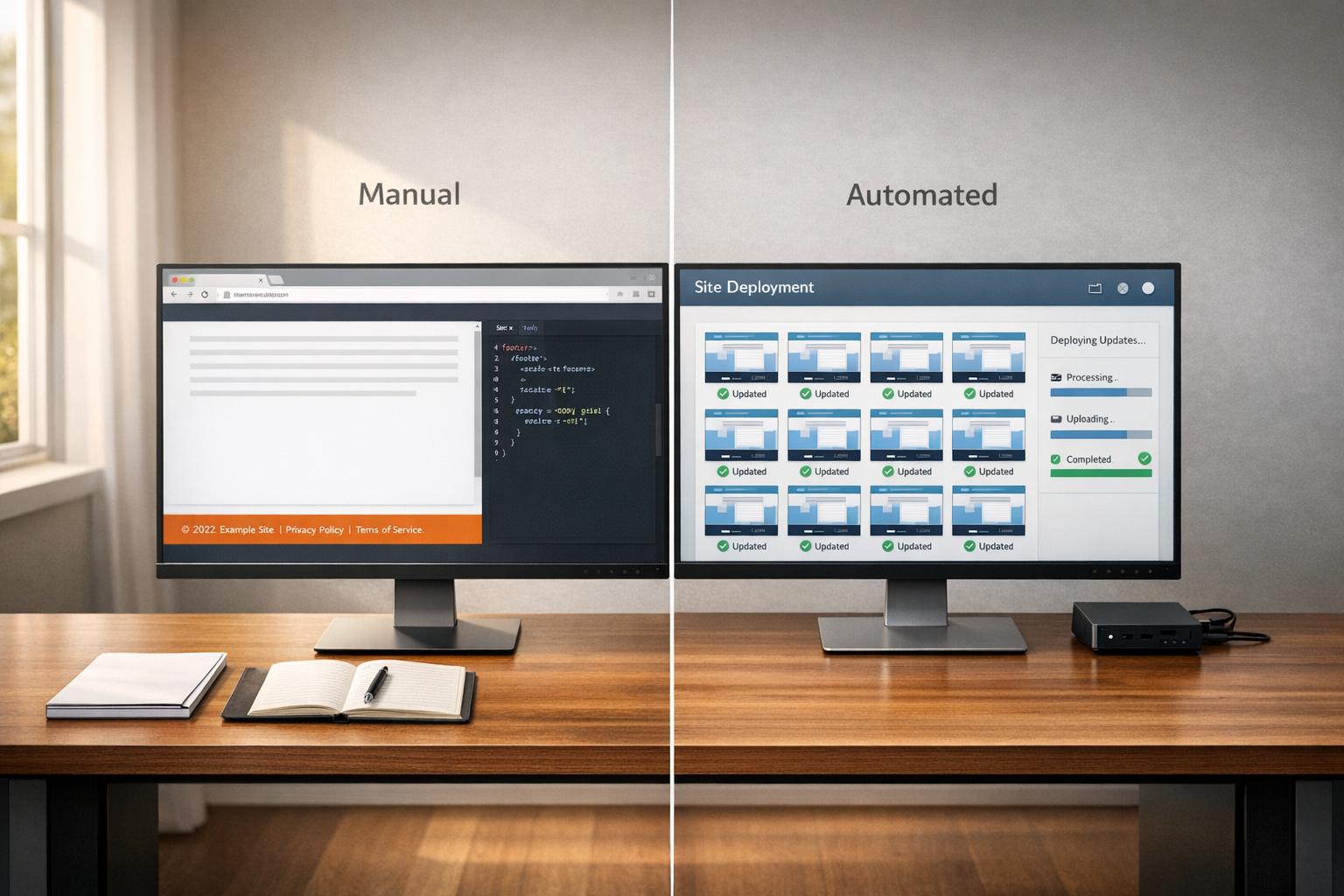
1Footer treats the footer like shared infrastructure. From one dashboard, teams can update footer content across many sites without touching each codebase.
Centralized Multi-Site Control
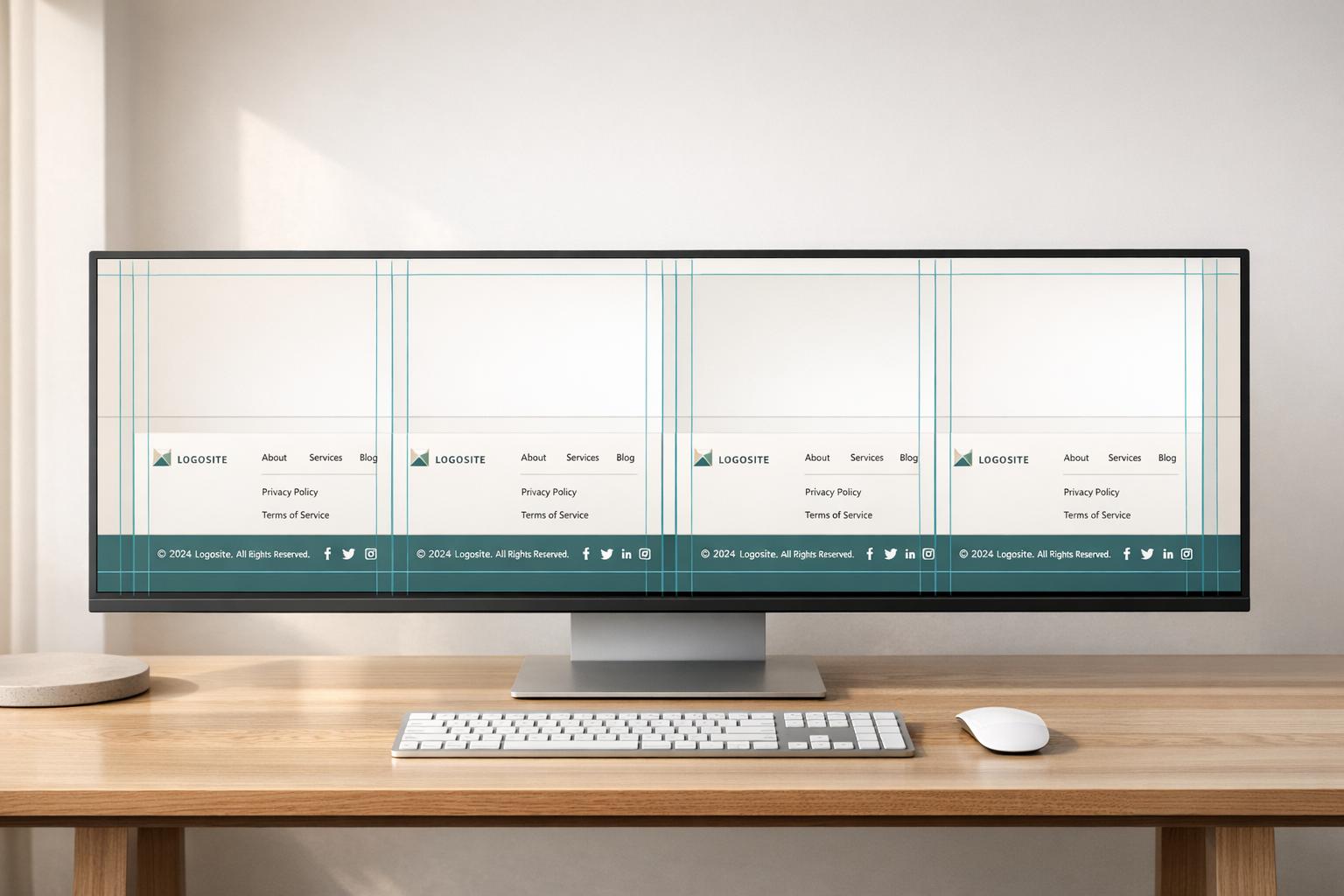
The platform uses a shared block model. That means teams can define items like legal links, social profiles, and navigation lists once, then reuse them across connected domains. If a site needs its own logo or a different navigation setup, domain-specific overrides handle that without disrupting the shared structure. Drift protection also helps catch problems early by flagging unpublished sites, missing legal links, and stale updates before those issues spread.
That shared setup also makes it much easier to keep legal footer items aligned across every site.
Compliance and Legal Updates
1Footer includes a legal-link checklist for Privacy, Terms, and Imprint links. Updates move from draft to review to live, with clear ownership and audit trails along the way. Central access lets teams see rollout status during review and release, which cuts down on guesswork when several sites are involved.
It also works with current deployment and CMS workflows, so teams don’t need to change how they publish.
Localization and Integration
Domain-specific overrides keep regional content local while shared blocks stay aligned. 1Footer supports direct integrations with Vercel, Cloudflare Workers, Framer, HubSpot, and Lovable, plus script embeds for custom CMSs. Footer HTML is rendered with the page, which keeps it crawlable and avoids late client-side injection.
2. Adobe Experience Manager
For enterprise teams that use AEM as the main content hub, footer management comes down to one thing: governance.
Adobe Experience Manager can make footer updates from one place across large site portfolios. But that only works when inheritance rules are clear and each footer has a clear owner. If those guardrails are loose, consistency can slip fast.
Centralized Multi-Site Control
AEM supports shared footer structures across multiple sites, which can help teams manage changes at scale. That said, staying consistent depends on how carefully teams handle inheritance and ownership.
In plain terms, AEM gives you the setup for central control. The day-to-day result depends on whether teams use that setup with discipline.
Compliance and Legal Updates
AEM supports role-based permissions and approval workflows, and it also offers versioning and audit trails. That’s useful for legal and compliance-heavy updates, but only if the approval path is spelled out.
Without a clear path, those controls can turn into friction instead of help. They also need setup and upkeep from the platform team, so this model tends to fit organizations with experienced administrators managing a large site portfolio.
Localization and Integration
AEM supports localized footer variants, which helps teams keep per-domain details like local policy links and navigation groups separate while shared brand elements stay consistent.
That split matters. A company may want one shared brand look across sites, but legal links in the U.S. may differ from those in Europe or Canada. AEM can support that balance when localization rules are set up with care.
Use localization to keep regional legal links and navigation separate while shared brand elements stay consistent.
3. Sitecore Experience Accelerator
Sitecore Experience Accelerator supports shared footer components across multi-site setups. That makes it easier for teams to keep legal links, contact details, and navigation in sync without rebuilding each site on its own. Instead of editing footers site by site, Sitecore handles this with shared components and delivery rules.
Centralized Multi-Site Control
Sitecore works best when teams manage footer components as shared assets. That way, updates can flow across sites without manual re-entry.
Headless and Composable Delivery
For teams using composable architectures, delivery matters just as much as editing. In headless or composable setups, Sitecore should deliver footer content as server-rendered HTML so links stay crawlable, indexable, and fast to load.
4. Captain Compliance
Captain Compliance is a better fit for enterprise footers where legal links matter more than layout control. Its focus is on legal footer content, not design or page structure. So if your main goal is legal-first footer management, it fits. If you want broader control over footer design, it’s probably not the right tool.
Centralized Multi-Site Control
Captain Compliance lets teams update legal links - such as privacy policies and terms of service - across multiple domains from a single dashboard. That means legal teams can push policy changes across sites from one place instead of handling each domain one by one.
Compliance and Legal Updates
It helps keep privacy and terms links aligned across sites, which cuts down on drift during policy changes.
Governance and Approvals
Approval workflows help control legal-link publishing, which can prevent link sprawl and random edits. That tight governance focus also shows exactly where the tool sits in an enterprise footer stack: it handles legal link control, not much beyond that.
Localization and Integration
Integration details are limited, so enterprise teams need to check CMS and workflow fit on their own. If your team has a complex CMS setup or strict design system rules, it’s worth confirming support before rollout. Because the product has a narrow focus, integration fit becomes the main thing to check when comparing it with the next platform.
5. OneTrust Cookie Consent
OneTrust Cookie Consent has a tight job. It handles the compliance layer in the footer, not the full footer setup. So if your main concern is privacy and consent, and another team already owns the footer itself, OneTrust fits that role well.
Centralized Multi-Site Control
OneTrust gives compliance teams one place to manage cookie consent settings and privacy disclosures, then roll those updates out across multiple domains. That control is limited to compliance content, which is an important distinction.
Compliance and Legal Updates
It helps keep Privacy Policy, Terms of Use, and Cookie Policy links consistent across domains. In large enterprise setups, that narrow focus can be a big deal, especially when different regions have strict consent rules.
Governance and Approvals
Approvals and access controls are tied to consent updates. They do not extend to broader footer edits.
Localization and Integration
Use OneTrust for region-specific consent rules and privacy links. Then manage the rest of the footer in another system. In practice, that means OneTrust works as a compliance layer, not a full footer management system.
How the 5 Tools Compare Across Enterprise Needs
5 Footer Management Tools Compared for Enterprise Teams
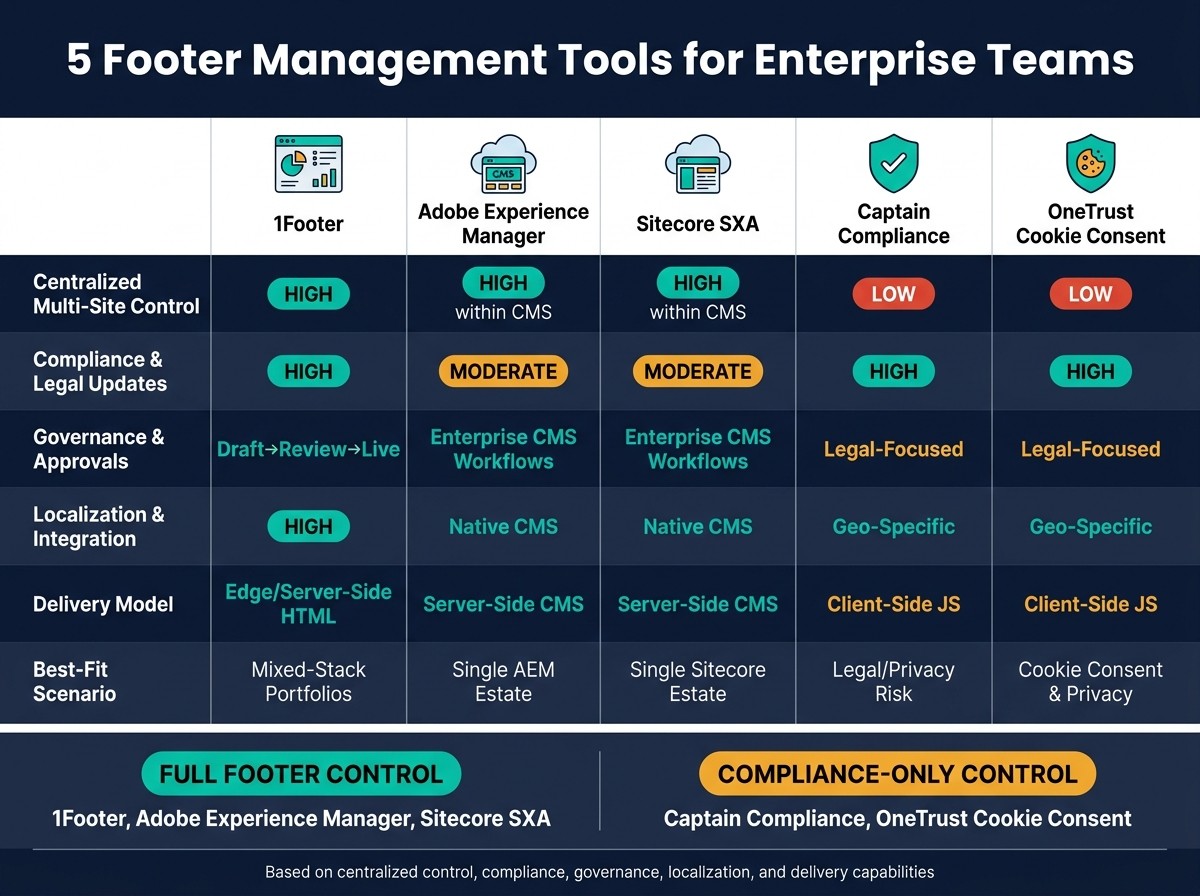
These five tools fall into two camps: full-footer management and compliance-only control. The table below puts the trade-offs in one place.
Feature | 1Footer | Adobe Experience Manager | Sitecore Experience Accelerator | Captain Compliance | OneTrust Cookie Consent |
|---|---|---|---|---|---|
Centralized Multi-Site Control | High - cross-platform, any stack | High - within its own CMS ecosystem | High - within its own CMS ecosystem | Low - compliance links only | Low - compliance links only |
Compliance & Legal Updates | High - centralized legal-link management and checklist | Moderate - shared-component updates | Moderate - shared-component updates | High - automated | High - automated/dynamic |
Governance & Approvals | Draft → In Review → Live workflow | Enterprise-grade CMS workflows | Enterprise-grade CMS workflows | Legal-focused workflows | Legal-focused workflows |
Localization & Integration | High - domain-aware, API/worker-based | Native CMS localization | Native CMS localization | High - geo-specific consent handling | High - geo-specific consent handling |
Delivery Model | Edge/server-side HTML, crawlable | Server-side, CMS-native rendering | Server-side, CMS-native rendering | Client-side JS snippet | Client-side JS snippet |
Best-Fit Scenario | Multi-stack portfolios, SaaS teams | Single-vendor enterprise sites | Single-vendor enterprise sites | Legal/privacy risk mitigation | Legal/privacy risk mitigation |
The big divide is simple: full-footer control vs. compliance-only control.
Captain Compliance and OneTrust do a solid job with legal links and consent handling. But that’s also the limit. The rest of the footer still has to live somewhere else.
AEM and Sitecore give teams strong CMS-based control. That works well if your sites stay inside one CMS world. Once you’re dealing with a mixed-stack portfolio, that model starts to hit a wall.
1Footer sits in a different spot. It works as a cross-stack footer operations layer, so teams can manage the full footer across any mix of sites and platforms from one control plane.
The next section breaks down these trade-offs into clear pros and cons.
Pros and Cons of Each Tool
Every tool has a sweet spot, and every tool has a ceiling. The table below cuts through the noise and shows the trade-offs in plain terms. Use it to line up each option with your governance needs, rollout pace, and stack setup.
Tool | Pros | Cons | Best For |
|---|---|---|---|
1Footer | Central dashboard for multi-site rollouts; crawlable HTML output; per-domain customization with shared global blocks | Adds another dependency to site operations; setup is needed for Cloudflare Workers or server-side integration | SaaS teams, agencies, and operators managing 5+ websites |
Adobe Experience Manager | Strong governance inside AEM-native estates | Works best in a single CMS stack; cross-domain footer updates need manual work outside AEM | Large enterprises running all properties on one AEM stack |
Sitecore Experience Accelerator | Strong control for Sitecore-native estates | Works best in a single CMS stack; cross-domain management needs workarounds | Enterprises fully committed to the Sitecore platform |
Captain Compliance | Automated legal-link updates across domains; tight governance for privacy and terms content | Narrow scope focused on compliance links; no control over the rest of the footer layout or design | Legal and compliance teams managing policy links across many domains |
OneTrust Cookie Consent | Automated consent management across regions; geo-specific privacy link handling | Covers compliance content only; the rest of the footer needs a separate system | Compliance teams handling cookie consent and regional privacy disclosures |
The next section turns these trade-offs into a final recommendation by use case.
Conclusion
No single tool is the right pick for every case.
If your biggest headache is keeping footers in sync across lots of domains and different tech stacks, 1Footer is the strongest fit. It gives you one place to manage updates, which cuts down on drift and saves teams from making the same change over and over.
AEM and Sitecore are a better match for teams that already run footer management inside one enterprise CMS. If the job is mostly about compliance, OneTrust and Captain Compliance are the more narrow options.
When footer updates still mean touching multiple repos or lining up work across several teams, that’s a sign you need a centralized footer operations layer.
The best choice comes down to where footer ownership already sits: one control plane, one CMS, or one compliance workflow.
FAQs
How do I know if I need full footer control or just compliance links?
You need full footer control when your footer does more than show static legal links and needs active management across multiple sites.
If manual updates lead to stale links, broken navigation, or mismatched content, a centralized setup helps you sync campaigns, standardize trust signals, and roll out product or resource links across your portfolio.
What should enterprise teams check before choosing a footer management tool?
Enterprise teams should look for a tool that keeps control in one place without boxing in technical teams.
A good setup should publish crawlable, domain-native HTML - not iframes or client-side scripts that can get in the way. It should also include approval workflows and audit logs, so teams can review changes, track who did what, and keep governance tight.
At the same time, the tool needs to handle both sides of the job:
Shared blocks for global consistency
Per-domain overrides for local needs
That mix matters. You want one system that keeps brand, legal, and SEO aligned across sites, while still giving local teams room to adjust where it makes sense.
How can a company keep regional footer content consistent across many sites?
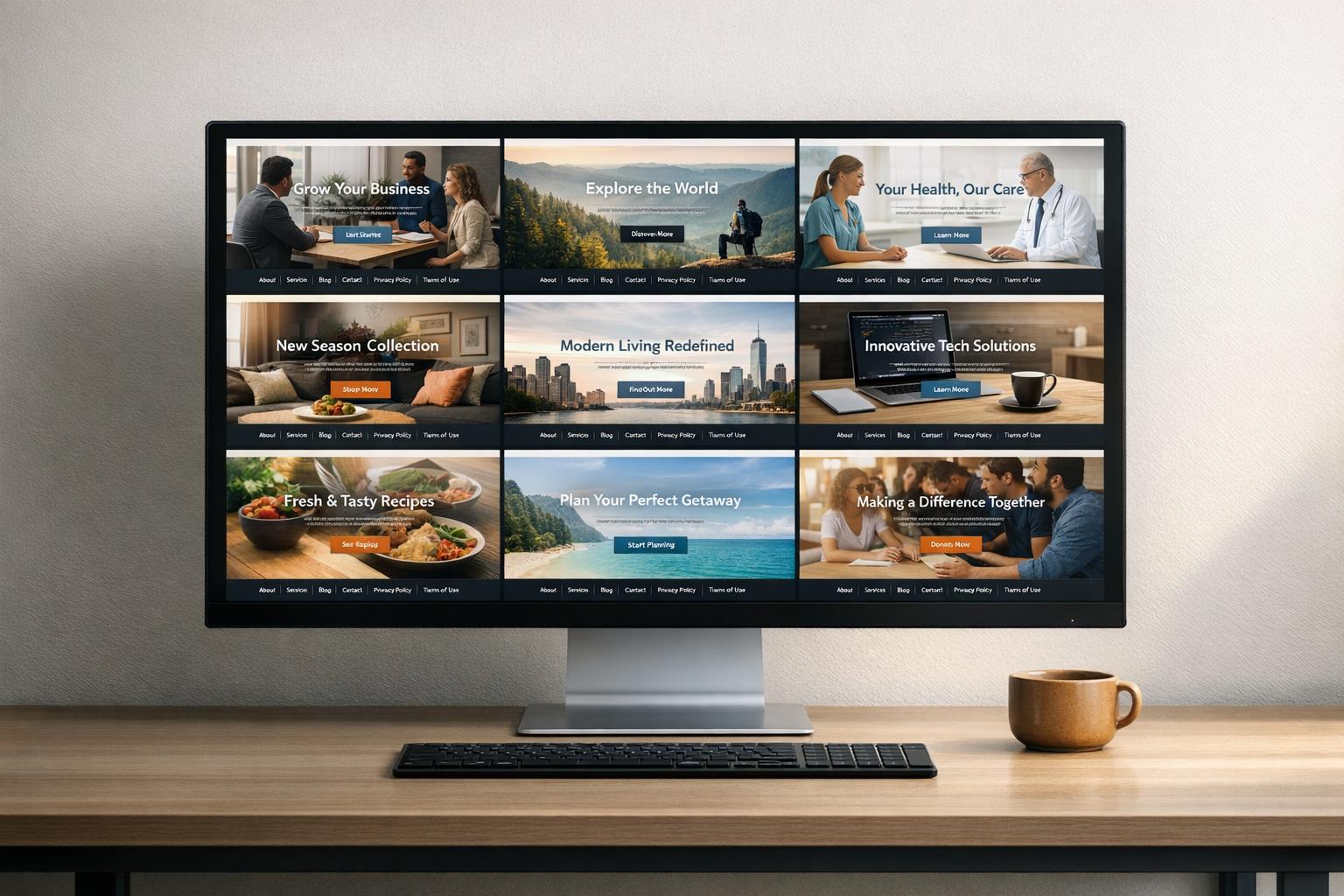
Treat footers as centralized infrastructure, not static markup scattered across sites. With one control plane, you can manage brand-level content in one place and push updates across connected domains from a single dashboard.
That keeps shared footer sections in sync, including legal links and global navigation, while still leaving room for per-domain overrides. So if one site needs a local address or a region-specific policy page, you can handle that without touching everything else.
There’s also an SEO upside here. When the footer is delivered as domain-native, crawlable HTML, search engines can read it as part of the page. And just as important, you cut down on drift that tends to happen when teams make manual updates site by site.