
Top Tools for Detecting Broken Footer Links
When footer links break, it’s more than just an annoyance - it can harm your website’s SEO, frustrate users, and even lead to legal compliance issues. This article outlines tools and strategies to detect and fix broken footer links, especially for those managing multiple websites.
Key Takeaways:
Broken footer links impact SEO rankings and user trust.
Tools like Screaming Frog and Semonto help identify link issues efficiently.
Platforms like 1Footer simplify managing and updating footer links across multiple sites.
Regular scans, automation, and centralized management are essential for maintaining functional footers.
Quick Overview of Tools:
Screaming Frog: Desktop crawler focused on detailed audits, including footer-specific scans.
Semonto: Real-time monitoring for immediate detection of broken links.
1Footer: Centralized platform for updating and managing footer links across multiple domains.
3 Ways to Quickly Find Broken Links on Your Website (So You Can Fix Them)
How to Evaluate Footer Link Detection Tools
When managing footer links across multiple sites, choosing the right tool is key. The ideal tool should excel in footer-specific scanning, support multiple sites, and offer automation features. Since tools vary in scope and functionality, it's important to understand what each brings to the table before making a decision.
Footer-Specific Link Detection
Look for tools that focus specifically on the HTML <footer> element instead of scanning entire pages aimlessly. Why? Because footer links appear site-wide, and a single broken link in the footer affects every page. The best tools also evaluate anchor text diversity, the balance of internal versus external links, and attributes like rel="nofollow" to provide a full picture of footer health. If your site uses JavaScript-rendered footers, make sure the tool can handle those too, as many standard crawlers miss dynamically loaded content. These capabilities are especially vital when managing several sites at once.
Multi-Site Support and Scalability
If you oversee multiple domains, a tool limited to single-site monitoring won’t cut it. Tools that allow centralized monitoring of link health across all your projects save time and reduce headaches. Enterprise-level crawlers can scan 10,000+ internal links in one session. Features like team collaboration are also game-changers - tools that let you share monitors, assign tasks, and send alerts through platforms like Slack or Microsoft Teams streamline workflows significantly. Automation is another must-have to handle detection and reporting efficiently.
Automation, Reporting, and Ease of Use
Scheduled crawls remove the need for manual checks by catching broken links early. Combine this with multi-channel alerts - via email, Slack, or Telegram - and your team can respond to issues almost instantly. Reporting is equally important. A strong report doesn’t just list broken links; it pinpoints the exact source page and anchor text, helping developers quickly address the problem. Export options like CSV or JSON make it easy to create structured fix lists, while white-label reporting is a bonus for agencies presenting results to clients.
1Footer: Centralized Footer Management for Multi-Site Teams
Managing footers across multiple websites can be a headache, especially when it comes to keeping links consistent and up-to-date. Tools that scan for broken links often fall short when it comes to actually fixing them across various sites. That’s where 1Footer steps in, offering a streamlined, centralized solution to this challenge.
Founder Daniel Sinewe puts it best:
"1Footer is a footer operations layer for builders running multiple websites. Instead of treating the footer as static markup copied into every repository, you manage it as shared infrastructure: one control plane, one publish path, and domain-native output."
Pushing Footer Updates Across All Sites at Once
The beauty of 1Footer lies in its simplicity: make one change, and it takes effect everywhere. From a single dashboard, you can update critical links - like those for legal pages, contact information, or promotional banners - across all your connected domains. This eliminates "footer drift", where inconsistencies creep in over time. For example, if a legal URL changes, you only need to update it once, and the change is instantly reflected sitewide.
Delivering Crawlable HTML Footer Content
One common issue with some footer management tools is their reliance on iframes, which search engines and link-checking tools struggle to interpret. 1Footer avoids this by delivering footer content as crawlable HTML through server-side paths, such as Cloudflare Worker routes. This ensures that links are fully visible to search engines and tools like Screaming Frog or Semonto. Plus, 1Footer includes a built-in verification step to confirm that all links are functional across your domains after each update.
How Teams Use 1Footer to Fix Broken Links
With 1Footer, teams follow a straightforward workflow: Connect, Publish, Verify. First, domains are connected to 1Footer. Then, footer content is managed and updated via the central dashboard. Once updates are published globally, verification checks ensure that all links render correctly and are functional. This replaces tedious manual updates with an efficient, trackable process.
The impact can be substantial. Olof Harrysson, a solo founder and AI engineer, shared his experience:
"1Footer increased my DR from 9->16."
For teams juggling multiple sites, 1Footer minimizes the time between identifying a broken link and fixing it. With updates managed in one place, you can ensure consistent, error-free footers across all your domains.
The Best Tools for Detecting Broken Footer Links
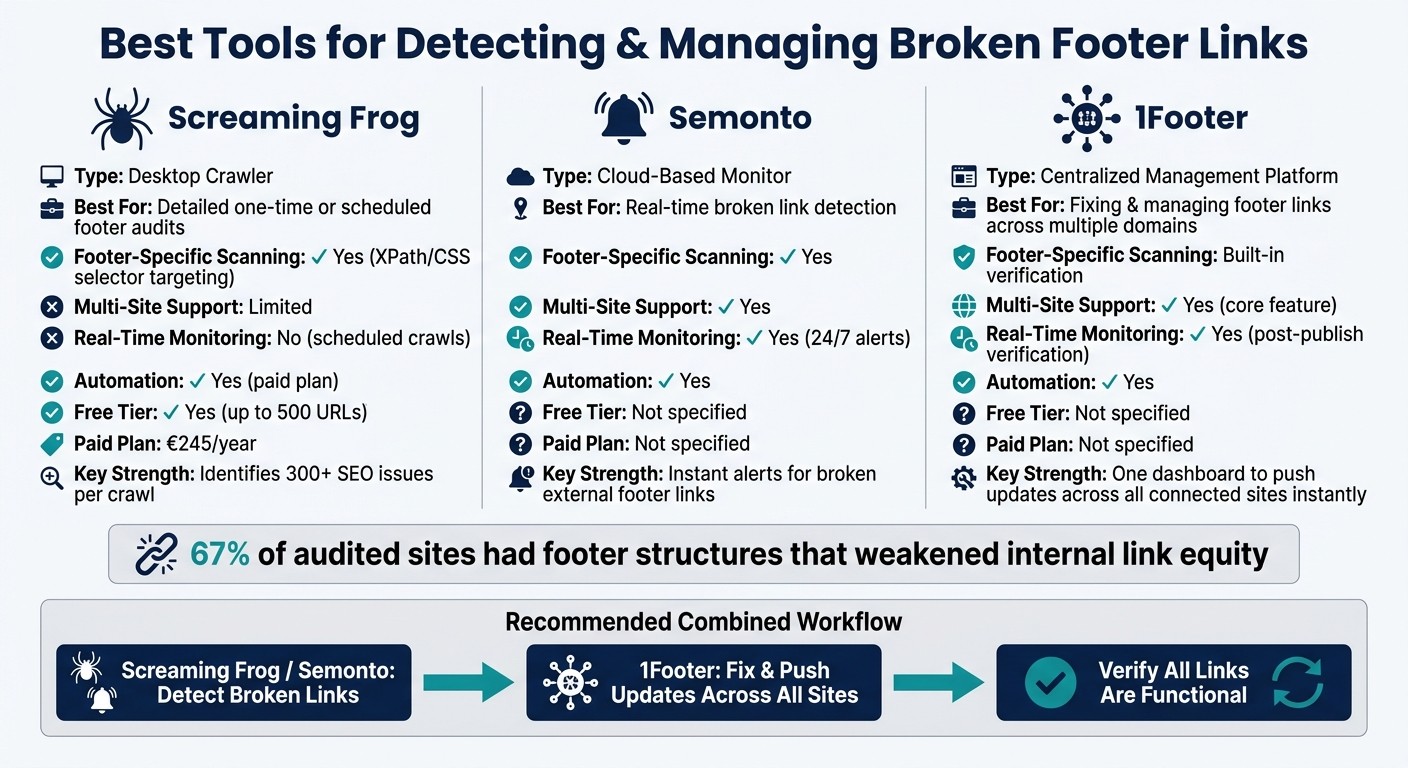
Best Tools for Detecting & Managing Broken Footer Links
Even with centralized footer management, you need reliable crawlers to quickly identify broken links. Let’s dive into how Screaming Frog and Semonto handle footer-specific challenges.
Screaming Frog SEO Spider
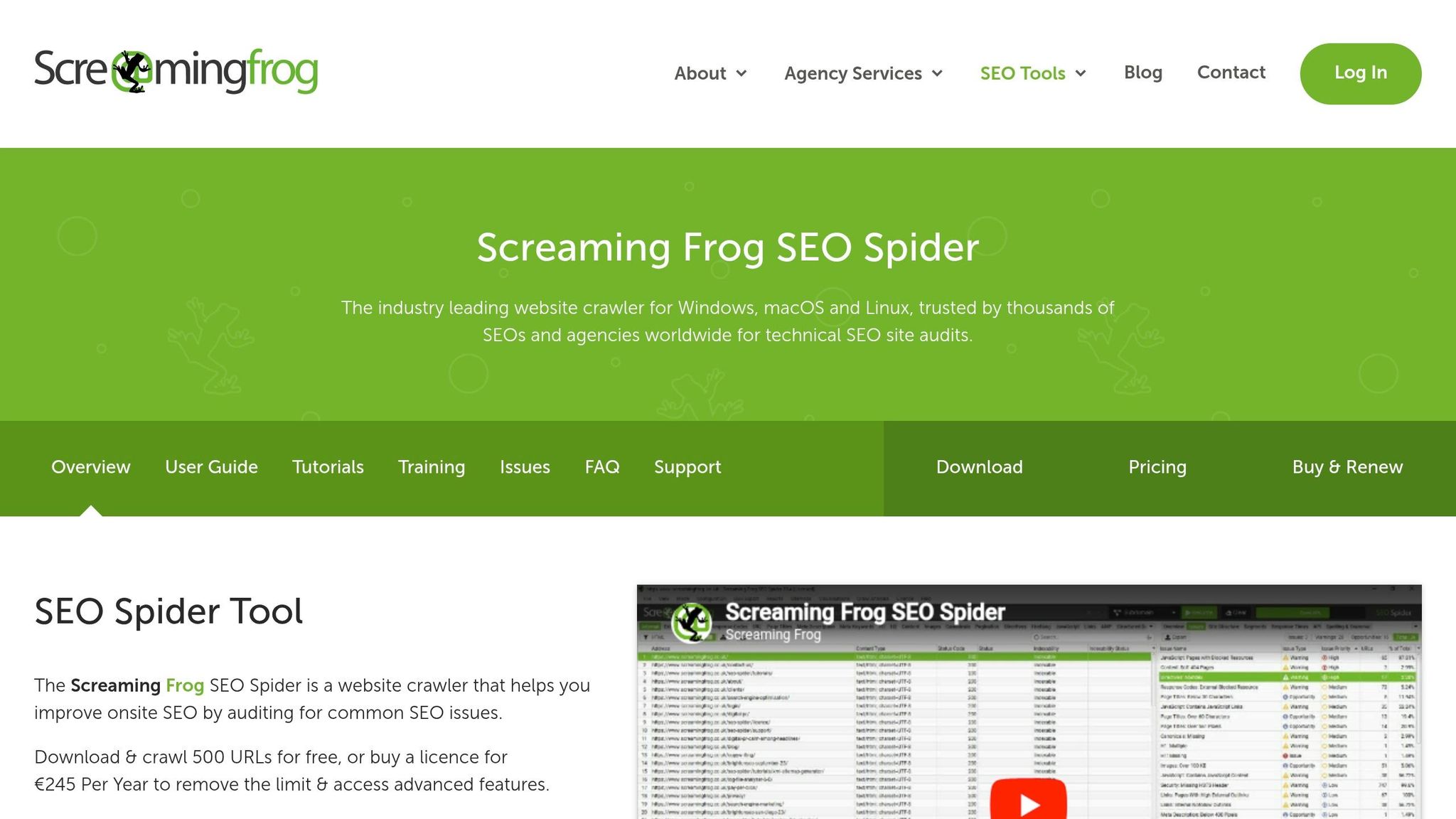
Screaming Frog is a desktop-based crawler compatible with Windows, Mac, and Linux. One of its standout features is the ability to target specific sections of a webpage - like the <footer> - using XPath or CSS selectors. This means it can focus solely on footer links, cutting through unnecessary data and making footer audits more efficient.
Aleyda Solis, Owner of Orainti, highlights its effectiveness:
"The Screaming Frog SEO Spider is my 'go to' tool for initial SEO audits and quick validations: powerful, flexible and low-cost. I couldn't recommend it more." - Aleyda Solis
The tool offers a free version that supports up to 500 URLs, making it a great option for smaller websites. However, the paid version (€245/year) unlocks powerful features like scheduled crawls, command-line integration, and automatic exports to tools like Google Sheets or Looker Studio. Beyond footer-specific tasks, Screaming Frog can also identify over 300 SEO issues in a single crawl. This precision makes it invaluable for maintaining clean, functional footer links.
Semonto
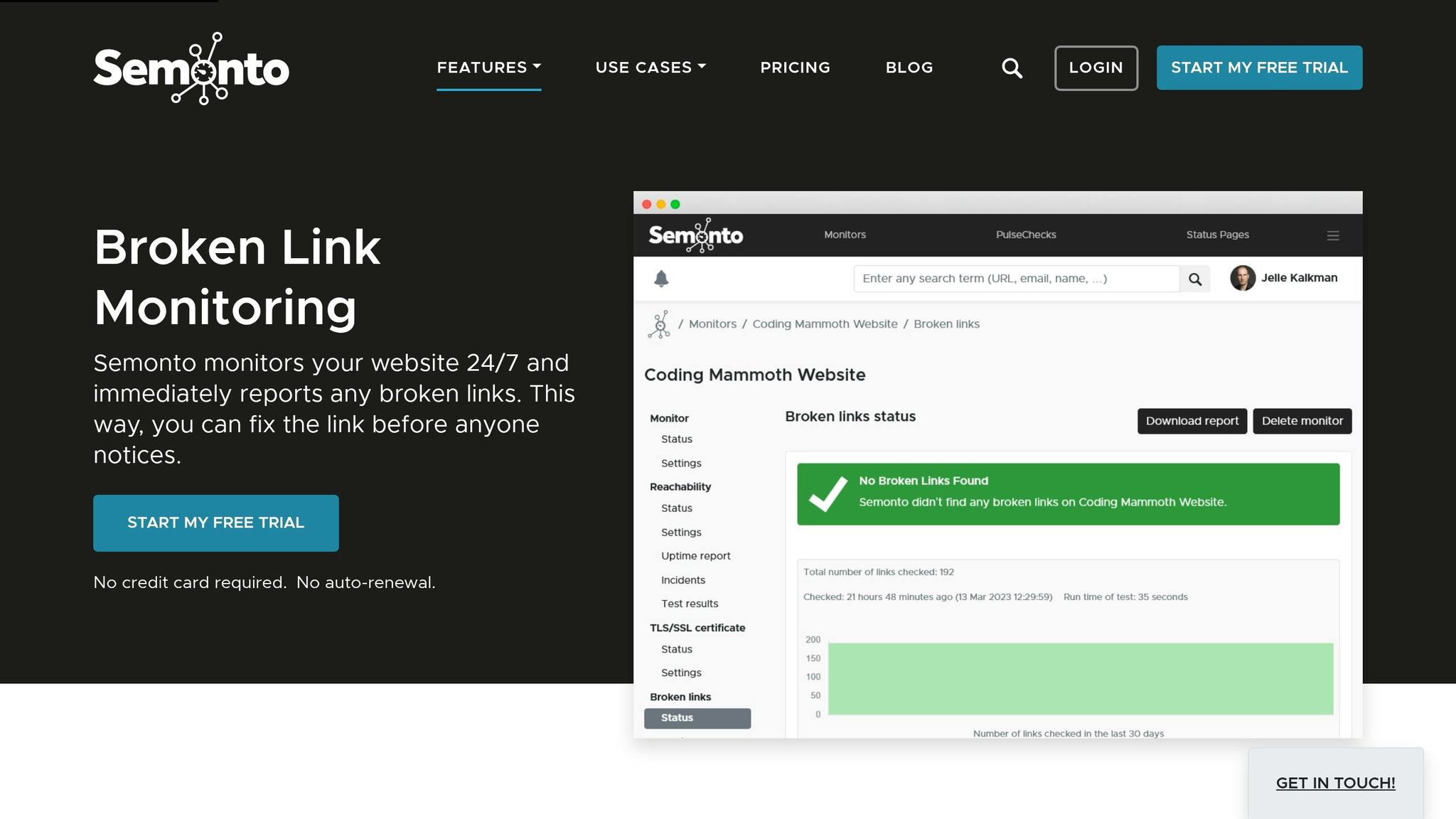
Unlike desktop crawlers, Semonto provides continuous, real-time monitoring for your website. It alerts you immediately if a link or image breaks, saving time by pinpointing the exact location and cause of the issue.
As Semonto puts it:
"Semonto automatically monitors your website 24/7 and notifies you immediately of any broken links so you can fix them." - Semonto
This tool is particularly useful for managing external footer links, such as links to social profiles, legal pages hosted on third-party domains, or partner websites. Since external URLs can go offline without notice, waiting for a scheduled crawl might not catch the issue fast enough. Real-time alerts ensure that no broken link goes unnoticed, complementing centralized footer management and keeping your site’s footer links fully functional. For more insights on maintaining site-wide consistency, explore our guides on footer design and SEO.
Best Practices for Managing Footer Links Across Multiple Sites
Building Footers That Are Easy to Scan and Audit
When creating footers, it's smart to use the semantic <footer> element instead of a plain <div>. Search engine crawlers specifically look for this element, making it easier to audit links effectively. Beyond coding, organize your footer links into clear categories like navigation, legal, social, and contact. Stick to only the most essential pages. This kind of grouping not only simplifies audits across multiple websites but also keeps link density low, which helps maintain link equity.
A well-structured footer isn't just easier to audit - it also works seamlessly with automated monitoring tools. Once your footer layout is streamlined, the next step is setting up regular scans and real-time monitoring.
Setting Up Regular Scans and Monitoring
Broken links can linger unnoticed until someone stumbles upon them. The solution? Automate your scans so you never have to remember to do it manually.
How often you scan depends on how often your site changes:
Scan Frequency | Best For |
|---|---|
Daily | High-traffic sites like news or media outlets |
Weekly | Standard business websites |
Monthly | Small or static sites with minimal updates |
On-demand | After major updates, migrations, or template changes |
Make sure your monitoring tools send alerts via channels your team already uses - like Email or Slack - so issues are flagged immediately instead of hiding in dashboards. Here's an important stat to keep in mind: sites with 10 or more broken internal links tend to rank an average of 3.2 positions lower on search engines compared to sites without such issues. Automated detection works best when combined with a centralized system for quick fixes across multiple sites.
Combining Centralized Management with Link Crawlers
After optimizing your footer structure and setting up regular scans, centralized management can ensure consistency across all your sites. Crawlers are great for identifying broken links, but they can't fix them. The most effective approach is to combine both tools: use a platform like 1Footer to manage footer links across domains, and rely on a crawler to verify that all links are functional.
With 1Footer, you can push updates across all connected sites instantly. The crawler then checks that every link works, catching any issues quickly and making multi-site maintenance far less stressful. Daniel Sinewe, the founder of 1Footer, highlights the benefits of this centralized approach:
"1Footer moves that work into a centralized model. You connect each domain once, define brand-level footer data, and publish updates from one dashboard. That publish event becomes the single source of truth for every connected site." - Daniel Sinewe, Indie Hacker
To make troubleshooting even easier, keep a detailed change log for every footer update. If a broken link shows up after a deployment, the log can pinpoint what changed and when, saving you valuable debugging time.
Conclusion: A Simpler Approach to Multi-Site Footer Link Management
Broken footer links can wreak havoc on SEO performance, waste crawl budgets, and erode user trust. According to a technical SEO benchmark report from April 2026, 67% of audited sites had footer structures that weakened internal link equity.
While detection tools are great at spotting these problems, the real challenge lies in fixing them across multiple sites - a process that often eats up valuable time. This is where centralized management becomes essential.
By integrating detection with centralized management, teams can simplify updates and improve performance. The results speak for themselves, as shared by a 1Footer user:
"1Footer increased my DR from 9->16... Turning the footer into a centralized place for managing and promoting links across multiple projects is a very smart and practical approach."
The key to success is combining a link crawler with a centralized management platform. Tools like 1Footer allow you to not only detect broken links but also fix them instantly using crawlable HTML. This pairing ensures footer maintenance is both efficient and reliable.
FAQs
How can I scan only footer links?
To check for broken links specifically in your website's footer, consider using a footer link analyzer. These tools are designed to zero in on the footer section of your webpage's HTML, focusing solely on the anchor tags located there while skipping the rest of the page. Once you identify any broken links, you can update your footer links in one central location, ensuring the updates are applied consistently across all pages of your website.
How often should I monitor footer links?
Footer links appear across every page of your site, so even one broken link can create a ripple effect. To keep your site running smoothly, it’s crucial to monitor these links regularly. Automated tools make this process easier by allowing you to schedule checks - whether hourly, daily, or weekly. This way, you can quickly spot and fix any dead URLs before they become a bigger issue.
Tools like 1Footer simplify this task even further. They let you manage and resolve broken footer links across multiple sites from one central platform, ensuring updates are consistent and streamlined.
How do I fix footer links across many sites fast?
Footers are present across all pages of a website, so a broken link in the footer can create issues everywhere. To tackle this efficiently across numerous sites, 1Footer offers a centralized solution. From a single control panel, you can manage your footer content with ease. Plus, its built-in broken-link detection helps you spot and fix dead URLs fast. This ensures smooth navigation, adherence to legal requirements, and an improved user experience - without the hassle of manually updating files or templates on each page.